Controls and settings in Among the Trolls
Among the Trolls is built around mouse and keyboard with partial controller support; the backpack and journal are the two interfaces you will open most.
Among the Trolls is built around mouse and keyboard, plays in first person, and offers partial controller support on Steam. The two interfaces you will use constantly are Anna's backpack and her journal, and both of them are opened from the same control set rather than from a menu screen.
The controls you actually need first
| Action | What it does | Why it matters |
|---|---|---|
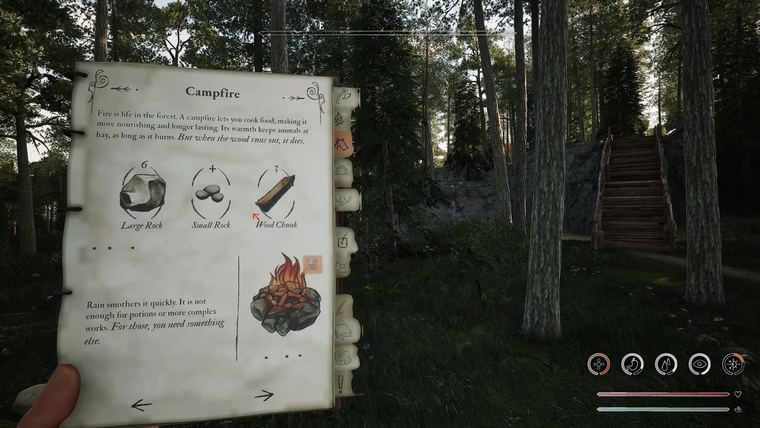
| J | Opens Anna's journal | Recipes, quest steps, collected pages |
| Backpack key | Opens the 3D inventory in the world | Crafting, cooking, item management |
| Interact | Talks, picks up, uses | Crow dialogue, campfires, doors |
| Crouch | Lowers your profile and slows movement | How you approach alert animals |
| Aim and fire | Bow control | Hunting and ranged combat |
| Block | Defensive stance | Buys time in packs and ambushes |
The game deliberately uses a physical, literal interface: the backpack opens inside the world with the same lighting and weather around it, and a 2D overlay carries the contextual information. That is worth knowing because it means menu actions are not free: opening the pack mid-fight is a real commitment.
What you cannot change
If you played the free demo that released on 12 February 2026, you met a build with restricted options: key rebinding was not available, and neither were graphics settings. Players raised both, and the demo's own FAQ answered the second one directly — the team was working on adjustable graphics settings.
The demo FAQ also gave a workaround for resolution problems that is still worth trying if the image looks soft:
- Open Windows Display Settings.
- Find Scale and Layout.
- Set scaling to 100 percent.
That is a Windows-side fix, not an in-game one, and it solves the class of problem where the game renders at one size and the desktop scales it.
Steam features that shape the setup
- Steam Cloud is supported, so your progress follows the account rather than the machine.
- Custom volume controls, stereo and surround sound and subtitle options are all listed on the store page. Use them: the game communicates danger through sound, and the soundscape thins out as the world corrupts.
- Adjustable difficulty and playable without timed input are listed too, which is worth knowing if you want the story without the reaction tests.
- Partial controller support means a pad will cover play but not every corner of the interface.
A setup worth ten minutes
- Set volume so you can hear the ambience at a conversational level; the warnings are subtle.
- Turn subtitles on if you follow dialogue better in text.
- Pick your difficulty honestly. The survival layer is the story's pressure gauge, not a separate game.
- Confirm your desktop scaling is at 100 percent before you judge the image quality.
- Learn the journal key before the first Crow conversation so the tutorial does not pass you by.
Sources
- Store page (categories, including partial controller support, Steam Cloud, subtitle options): Among the Trolls on Steam
- Official FAQ thread on controls and platforms: Among The Trolls - FAQs
- Demo FAQ (graphics settings status and the scaling workaround): Demo FAQs & Known Issues
Game imagery on this page is official promotional material, used for reference.